
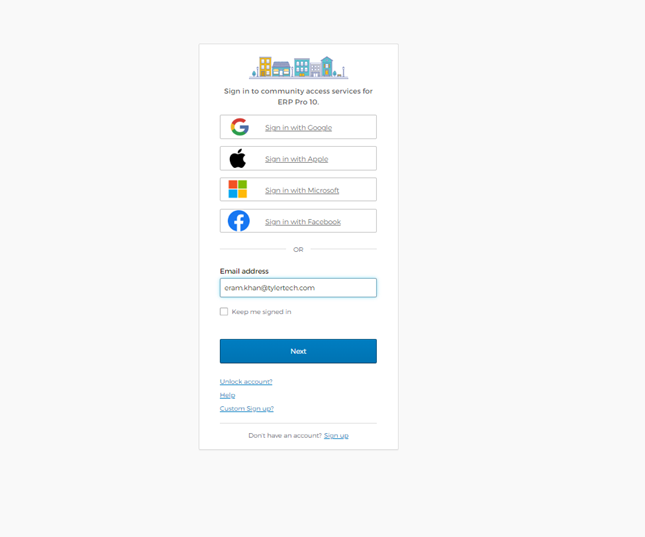
We've transitioned to a new identity service. If this is your first login post migration you can still use your exiting username and password.
On this screen enter your username and click next. Follow the instruction on the corresponding screen for a seamless login experience.
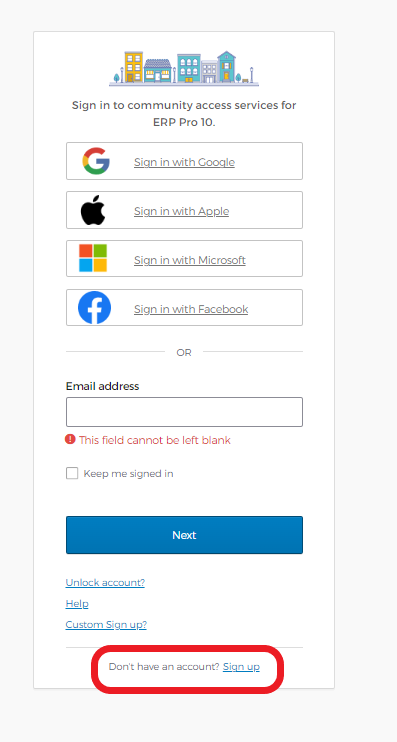
You can register a new account by clicking on the sign-up option on the sign-in/register screen.
An email will be sent to you to validate your email address.
If using a social provider, you follow their instructions:
- Apple - https://support.apple.com
- Facebook - https://www.facebook.com
- Google - https://support.google.com
- Microsoft - https://support.microsoft.com
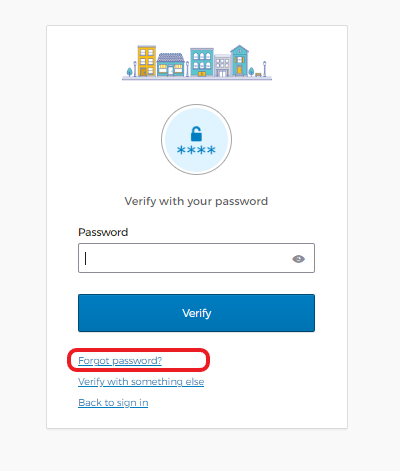
If you are logging in with an email address, use this “forgot password” option available on your password screen.
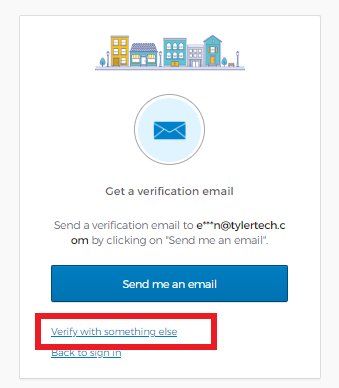
You have the option to change you authentication method by selecting the “verify with something else” option.
MunicipalOnlinePayments.com hosted by Tyler Portico, the “entry point” for many cloud applications and services developed by Tyler Technologies, Inc. If you chose to use an email address instead of a social provider for sign-in, it’s the identity services that handles your authentication and any management activities that require your email.